 Software Development
 Security Services
 Cloud Services
 AI Services
 Other Services






 TechMagic Academy


How to Build AI SaaS Product: From Idea to Production
Last updated:21 April 2026



In 2026, 80% of AI projects fail to deliver business value, and that gap is related to a systems problem. Most teams can get a prototype working in a weekend, connect an API, build a simple interface, and see the model respond. Then reality hits: the outputs are inconsistent, the costs spike at scale, the compliance team has questions, and the user experience falls apart under real load.
The distance between “it works on my machine” and a production-ready AI product is where most projects quietly die. So, our new article is a practitioner’s guide to close that gap. Everything here comes from direct experience, so if you’re looking to build an AI SaaS product that ships and survives contact with real users, this is where to start.
You’ll move through the full journey: validating your AI use case before writing a line of code, choosing the right models and infrastructure, designing for reliability and cost control, integrating LLMs into a product architecture that scales, and iterating after launch based on real signal.
Key takeaways
- AI SaaS is more than a model. It combines AI, product design, data workflows, and infrastructure into one usable system.
- Most AI products fail between prototype and production, when issues with quality, cost, reliability, and UX start to show up.
- A strong AI SaaS product starts with one narrow use case and a tightly scoped MVP, not a broad feature set.
- Choosing the right tech stack early, from your API key management strategy to your cloud infrastructure, saves significant rework later.
- Model choice matters, but data quality, monitoring, and cost control matter just as much in real production.
- How you handle user interactions (consistency, latency, failure states) determines whether users trust the product enough to keep using it.
- Security, compliance, and failure handling should be built in from the start, not added after launch.
What Is an AI SaaS Product?
An AI SaaS product is a cloud-based software service that has Artificial Intelligence built into its core functionality. You access it over the internet, usually through a subscription, and the provider handles everything behind the scenes – the servers, the models, the updates, and the infrastructure.
The combination of AI and SaaS is redefining the technological landscape by making advanced AI capabilities more accessible and practical for a broad audience. AI capabilities such as predictive analytics, computer vision, and decision-making support are now integral features that enhance SaaS products and drive innovation.
But that simple definition only tells part of the story.
How it differs from traditional SaaS
Traditional SaaS products (think project management tools, CRMs, or invoicing software) automate processes and store data. They follow the rules you set. They do exactly what they're programmed to do, nothing more.
An AI SaaS product goes further. Instead of just following rules, it learns from data, recognizes patterns, and makes decisions or predictions. It can handle tasks that don't have a single right answer, like summarizing a document, flagging an anomaly, or generating a first draft.
Take Grammarly, for example. On the surface, it looks like a writing checker, but it doesn't just apply grammar rules. It reads context, adjusts tone suggestions based on your audience, and learns from how you write. That's not traditional SaaS logic but an AI layer making judgment calls.
Or consider Notion AI. Notion started as a note-taking and productivity tool – a classic SaaS product. Adding AI changed what the product could do: drafting content, summarizing pages, answering questions about your own workspace.
How AI SaaS differs from a standalone AI model
On the other side, you have standalone AI models, such as a large language model (LLM) that you access through an API. These are powerful, but they're essentially raw ingredients. You send input, you get output. There's no interface, no user management, no billing, no data pipeline, no support system.
A standalone model is an engine. An AI SaaS product is a vehicle built around that engine, and ready for real passengers.
We are pleased to help

What a Production-Ready AI SaaS Product Actually Includes
As an AI-driven software development company, we know precisely how to build custom AI SaaS product. From our experience building and shipping AI products, a production-ready AI SaaS combines several layers working together:
- Software layer. The application your users interact with. Clean UI, reliable performance, role-based access.
- Data workflows. How data moves in, gets processed, and feeds the AI. This includes validation, transformation, and storage.
- AI functionality. The model or models doing the intelligent work. Core ai functionalities include machine learning, natural language processing, and predictive analytics, which are essential for enhancing product performance and user experience.
- Infrastructure. The cloud services, APIs, and systems that keep everything running at scale.
- User experience. How the product feels to use. Speed, clarity, and error handling all matter here.
When all of these layers work together, you get something users can rely on daily — not a demo, not a prototype, but a real product.
What Are the Differences Between Building an AI SaaS and a Regular SaaS?
If you're figuring out how to build an AI SaaS product after shipping traditional software, expect the rules to change. The added complexity touches cost management, legal risk, and user trust.
AI output quality and unpredictability
Traditional SaaS behaves consistently. A filter returns the same results every time, and a calculation always produces the same number.
AI doesn't work that way. Language models can return different outputs for the same input. They can be confidently wrong, or fail badly on edge cases you didn't anticipate. This changes how you build and test everything.
You can't just write unit tests and call it done. In our work, we use evaluation frameworks to measure output quality at scale, human review loops early on, and a product design that maintains user trust even when the AI gets something wrong.
Data dependency and model limitations
AI models are only as good as the data they're built on and the data you feed them at runtime. Every model has a knowledge cutoff, capability boundaries, and known failure modes. A model that's excellent at summarizing text may struggle with precise numerical reasoning. Know what your model can and can't do before you build around it.
Data quality matters just as much. If you're building a legal document review tool, feeding it poorly formatted contracts will degrade output quality, even if the underlying model is excellent. The model doesn't fix your data problems. It inherits them.
We always treat data as a first-class engineering concern from day one.
Infrastructure and inference costs
Every user request in an AI SaaS product may trigger a call to an external model API. Those calls aren't cheap, and they add up fast. Costs depend on token volume, model size, and request frequency. A feature that looks affordable in testing can become a serious budget problem at scale.
We always emphasize that cost control needs to be part of your architecture from the start. That means caching responses where possible, setting usage limits, and matching model size to task complexity. Not every feature needs your most powerful and most expensive model.
Security, privacy, and compliance considerations
When users interact with AI, they often share sensitive information without fully realizing it. Depending on your industry, that data may fall under GDPR, HIPAA, SOC 2, or other regulations.
AI systems often require data to pass through third-party APIs or cloud-based model providers. Every handoff is a potential compliance risk. You need to know where data goes, how long it's stored, and who can access it.
There are also AI-specific risks to account for. These are prompt injection attacks, and data leakage through model outputs is a real attack vector. That’s why we recommend involving legal and security teams early. Choose model providers with clear data processing agreements.
Balancing AI capability with usable product experience
More capability doesn't always mean a better product. If your interface requires them to craft careful prompts or interpret raw outputs themselves, you've handed your product's quality problem to the user.
From our own experience, the best AI SaaS products wrap powerful models in tight, opinionated interfaces that constrain what the AI does, so that what it does, it does reliably. That balance between what's technically possible and what's actually useful is where most AI products succeed or fail.
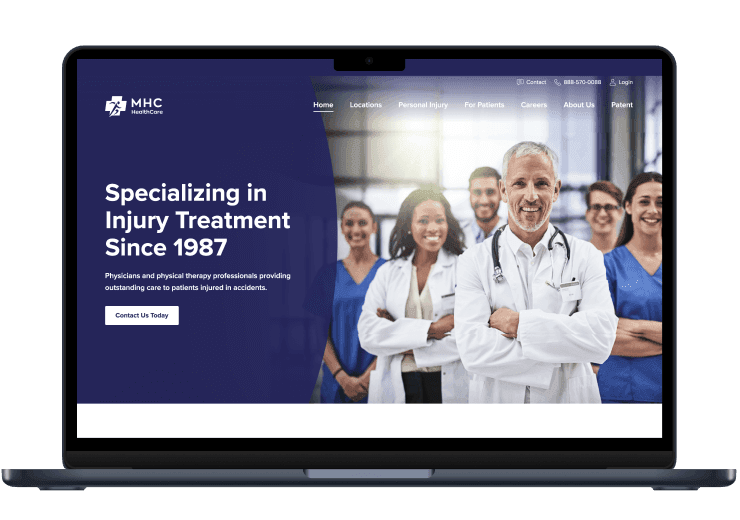
HIPAA-compliant portal for secure medical data records and exchange
What Are the Steps to Build an AI SaaS Product?
This is the core of the process we use in our SaaS development services. Below is the practical roadmap we follow from the first idea to a live, working product.
1. Define the use case and target users
Start narrow. Pick one specific problem for one specific type of user. Vague problems produce vague products.
Ask: what task is painful enough that someone will pay to have AI handle it? The more concrete your answer, the better your starting point. Real-world examples help here — look at how successful SaaS companies like Intercom or Notion identified a single, acute pain point before layering in AI technologies. Define your target audience precisely before anything else.
2. Validate the idea with a narrow MVP scope
Before you write a line of code, confirm the problem is real. Talk to potential users. Understand their current workflow. Find out where they lose time or make errors — this is how you start to understand customer behavior before building anything.
Your minimal viable product should solve one problem well, not many problems partially. Scope creep kills AI SaaS platform development projects early.
3. Choose the AI approach, models, and data sources
Decide what kind of AI you need and where it will come from. Will you use third-party services like OpenAI or Anthropic? Fine-tune an existing model? Use deep learning models for specific tasks like image recognition or forecasting? Build something custom?
Also map your data sources. Data preparation matters more than most teams expect — what data will the AI use at runtime, where does it come from, and how clean is it?
4. Design the product architecture and core workflows
Plan how the product's layers connect: the web app interface, the data pipeline, the AI layer, and the infrastructure. This step-by-step guide to AI SaaS platform development only works if architecture decisions come before build decisions — not while you're debugging.
Sketch the core user journey. Identify where AI fits in and where traditional logic is more appropriate. A modular design makes it easier to swap cloud platforms or AI components later without rebuilding everything.
5. Build the MVP and integrate the AI functionality
Now you build. Start with the core workflow, integrate your AI model, and keep everything else minimal. Resist adding features that aren't essential to validating the core idea. This is where you'll encounter the real behavior of your model in context and likely adjust your assumptions.
Customer engagement features — notifications, personalization, feedback loops — come after the core works, not before.
6. Test output quality, usability, and reliability
AI testing is different from standard QA. You need to evaluate output quality across a range of inputs, not just check that buttons work. Test for edge cases, inconsistent outputs, and failure modes. Run usability sessions to see how real users from your target audience interpret AI responses. Fix the experience, not just the code.
7. Prepare the product for production deployment
Before launch, harden the product. Set up monitoring, logging, error handling, and cost controls. Data security needs to be verified end-to-end — not just at the database level, but across every integration point including third-party services and cloud platforms. Make sure your data handling meets relevant compliance requirements: GDPR, HIPAA, or whatever applies to your market.
A build AI SaaS solution that skips this step tends to surface problems at the worst possible time: under real user load.
8. Launch, monitor, and improve based on feedback
Launch to a small group first. Watch how users interact with the AI features. Track where they drop off, what outputs confuse them, and what they actually find useful. AI products improve fastest when you combine usage data with direct user feedback. Keep your feedback loops short and your iteration cycles faster.
How to Choose an AI Stack for an AI SaaS Product?
From our experience, there's no universal AI stack. The right choice depends on your team's size, budget, timeline, and how much control you need over the AI layer. A modular system architecture helps here. It lets you swap components as requirements evolve without rebuilding everything from scratch.
Here's how to think through the main decisions.
Third-party AI APIs vs. self-hosted models
Third-party APIs from providers like OpenAI, Anthropic, or Google are the fastest way to get started with AI integration. You integrate, you pay per use, and you skip the infrastructure overhead. For most early-stage products, this is the right call.
Self-hosted models give you more control. Your data — including any personally identifiable information your users submit — doesn't leave your infrastructure, latency can be lower, and costs become more predictable at scale. The trade-off is real: you take on the burden of deployment, maintenance, and updates.
A simple rule of thumb: start with an API. Move to self-hosting only when cost, compliance, or SaaS performance gives you a concrete reason to.
RAG, fine-tuning, or custom model workflows
Three approaches come up most often when teams need to go beyond a basic API call:
RAG (Retrieval-Augmented Generation) connects a model to an external knowledge base at runtime. Instead of relying on what the model already knows, it retrieves relevant documents and uses them to generate a more accurate response. The underlying AI algorithms make this well-suited for products that need answers grounded in specific, up-to-date content — like internal knowledge bases or document Q&A tools.
Fine-tuning means training an existing model further on your own data. It improves performance on specific tasks and formats but requires labeled training data, compute budget, and ongoing maintenance when the base model updates.
Custom model workflows involve chaining multiple models or components together — one model handles data analysis, another generates output, another checks the result. This adds flexibility but also adds complexity.
Start with RAG if you need domain-specific accuracy without heavy investment. Move to fine-tuning when you have enough clean data and a clearly defined task that a general model consistently gets wrong.
Backend, frontend, and cloud infrastructure choices
Your AI-powered features need a solid foundation around them. A few practical points:
For the backend, Python is the dominant choice for AI-heavy systems — the tooling, libraries, and community support are unmatched. Node.js works well for API layers and real-time features.
For the frontend, the framework matters less than the experience. React remains a safe, flexible choice for most SaaS products, and it pairs cleanly with streaming AI responses that directly affect user satisfaction.
For cloud infrastructure, the major providers — AWS, Google Cloud, and Azure — all offer managed AI services, GPU instances, and vector database options. Your choice often comes down to what your team already knows and which AI-specific services fit your stack.
If you're working with AI development services from an external partner, make sure they're making infrastructure choices based on your product's needs and not just their preferred tools.
Observability and monitoring tools for AI systems
Standard application monitoring isn't enough for AI products. You need visibility into what the model is doing, not just whether the server is running.
At minimum, track: response latency, output quality over time, token usage and cost per request, and error rates. Tools like LangSmith, Helicone, and Weights & Biases are built specifically for AI observability and integrate well with common model APIs.
Set up alerts for cost spikes and output degradation early. AI systems can drift quietly: usage patterns shift, data quality changes, and model behavior follows. You want to catch that before your users do.
What Are the Security and Reliability Considerations for an AI SaaS Product?
When we ship an AI SaaS product, we take on security and reliability responsibilities that go beyond standard web application concerns. Here's what to plan for before you go to production.
Data privacy and sensitive input handling
A support chatbot receives personal complaints, a writing assistant sees confidential drafts, a document tool processes contracts, and the list doesn't end here. All of that is sensitive data, and you're responsible for it, whether you're shipping off-the-shelf AI tools or building custom AI development solutions from the ground up.
Define clearly what data gets sent to your AI model, what gets stored, and for how long. If you're using a third-party model API, read the provider's data processing agreement carefully. Know whether your inputs are used for model training, how long they're retained, and where they're processed geographically. This matters especially if you've chosen to fine-tune a model on proprietary or user-generated data.
For products serving regulated industries, this isn't optional. GDPR, HIPAA, and SOC 2 all have specific requirements around data handling that your AI pipeline needs to satisfy.
Prompt injection and model misuse risks
Prompt injection is an AI-specific attack. It happens when a user or the content the user submits includes instructions that manipulate the model into behaving in unintended ways. For example, a user might embed text in an uploaded document that instructs the model to ignore its system prompt and reveal sensitive information AI chatbot. This risk applies to any generative AI feature, from simple AI apps to fully custom AI-powered solutions.
Mitigations include input validation, strict system prompt design, output filtering, and limiting what actions the model can trigger. Don't assume the model will police itself because it won't.
Also consider misuse at scale: users probing for jailbreaks, automated abuse of free tiers, or attempts to extract proprietary prompt logic. Rate limiting, anomaly detection, and usage monitoring all help here.
Availability, latency, and failure handling
AI SaaS products depend on external components like model APIs, vector databases, or cloud services that can and do fail. A well-built AI solution handles those failures gracefully instead of breaking entirely.
Design for degraded states. If the AI layer goes down, can the product still offer partial functionality? If a model response takes too long, does the UI communicate that clearly or just hang?
Latency is also a product experience problem. AI responses are slower than typical API calls. Users notice. Set realistic expectations through UI design: progress indicators, streaming responses, and clear feedback all reduce frustration while the model works.
Build retry logic, timeouts, and fallback behaviors into your architecture from the start. Retrofitting reliability is harder than building it in.
Access control, logging, and compliance readiness
Strong access control matters more in AI products because the blast radius of a misconfiguration is larger. A compromised account in a traditional SaaS might expose one user's data. In an AI product, it could expose model behavior, system prompts, or outputs generated from other users' inputs.
Use role-based access control (RBAC) to limit what each user and system component can do. Apply the principle of least privilege, where every part of your system should only access what it absolutely needs.
Logging is equally important. In AI product development, logs are your audit trail for compliance, your evidence in a security incident, and your source of truth when a user disputes what the model told them. Log inputs, outputs, model versions, and user actions with appropriate data masking for sensitive content.
Finally, map your compliance requirements early. Certifications like SOC 2 Type II take time to achieve. If enterprise customers are part of your go-to-market plan, they will ask about compliance before they sign.

Final Thoughts
Building an AI SaaS product is not a small undertaking. This is the venture that requires more than picking a model and wrapping it in a UI. You need a clear use case, clean data, a thoughtful architecture, cost controls, security planning, and a product experience that actually serves users. The good news is that the opportunity is real and growing fast.
Future overlook
AI-powered SaaS is growing at over 40% CAGR, roughly three times faster than traditional SaaS. Among organizations where AI is core to the product, spend jumped 108% in a single year, with large enterprises seeing growth of 393%.These reflects a genuine shift in how businesses buy and use software.
Gartner projects that by the end of 2026, 40% of enterprise applications will have embedded task-specific AI agents – up from fewer than 5% today.That gap is closing fast. The window to build something differentiated is open, but it won't stay open indefinitely.
At the same time, around 88% of organizations now use AI in at least one business function, but only 6% are genuinely moving the needle on profitability. That gap between adoption and execution is exactly what this article has been about. Shipping something that works in production reliably, securely, and at a sustainable cost is where most teams struggle.
When you decide to develop AI SaaS product, the teams that succeed are the ones who understand their users deeply, scope their MVP honestly, make sensible infrastructure choices, and treat reliability and security as core product requirements.
By 2027, 30% of traditional SaaS workflows are expected to be replaced by AI-driven automation. That means the question for most product teams is how to do it well.

FAQ
Start with a specific problem for a specific user. Validate it before writing code. Then move through these stages in order: choose your AI model and data sources, design the architecture, build a minimal MVP, test output quality, harden for production, and launch to a small group first.
The key difference from traditional SaaS app is that AI SaaS development requires ongoing evaluation: output quality, cost, and model behavior all need active monitoring after launch, not just at release. Your team, whether in-house AI developers, machine learning engineers, or data scientists, needs to own that process continuously.
Define the use case as narrowly as possible. Pick one painful, specific problem for one type of user. Before any technical work in the development process, validate that the problem is real by talking to potential users directly. Most early AI-based SaaS product projects fail not because of poor engineering, but because they solve a problem that wasn't painful enough to pay for.
It depends on scope, team, and AI approach. A focused MVP built with third-party APIs like OpenAI or Anthropic typically costs less than building AI-powered SaaS solutions with self-hosted or fine-tuned models, which require more infrastructure and expertise.
Ongoing inference costs (what you pay per model request) also scale with usage and need to be factored in from day one, not treated as a fixed line item. We have no single benchmark figure that applies universally, as costs vary significantly by market, team size, and whether you're building an AI-powered SaaS product from scratch or extending an existing platform.